 96952aa17e
gst-examples' WebRTC signalling server pulls in actix-web, which needs rustc 1.88, but the flatpak SDK ships 1.86. -Dexamples=disabled does not cover it (gst-examples is a separate option), so add -Dgst-examples=disabled and align the rest (devtools, ges, rtsp_server, python, sharp) with the macOS/Windows builds. rs left at default for enabling later. |
||
|---|---|---|
| .gitlab/issue_templates | ||
| build-aux | ||
| ci | ||
| data | ||
| graphs | ||
| installer | ||
| po | ||
| src | ||
| subprojects | ||
| .gitignore | ||
| .gitlab-ci.yml | ||
| .gitlint | ||
| .pre-commit-config.yaml | ||
| _typos.toml | ||
| AGENTS.md | ||
| Cargo.lock | ||
| Cargo.toml | ||
| ChangeLog.md | ||
| Gemfile | ||
| index.html | ||
| LICENSE | ||
| meson.build | ||
| meson_options.txt | ||
| New_Release_Announcement.md | ||
| README.md | ||
| release.md | ||
| run-tests.sh | ||
| TODO.md | ||
| VERSION | ||
GstPipelineStudio: Draw your own GStreamer pipeline ...
Important
Until version 1.0, this software should be considered as unstable. The settings moreover the graph file format might change over the development phase.
Description
GstPipelineStudio aims to provide a graphical user interface to the GStreamer framework. From a first step in the framework with a simple pipeline to a complex pipeline debugging, the tool provides a friendly interface to add elements to a pipeline and debug it.
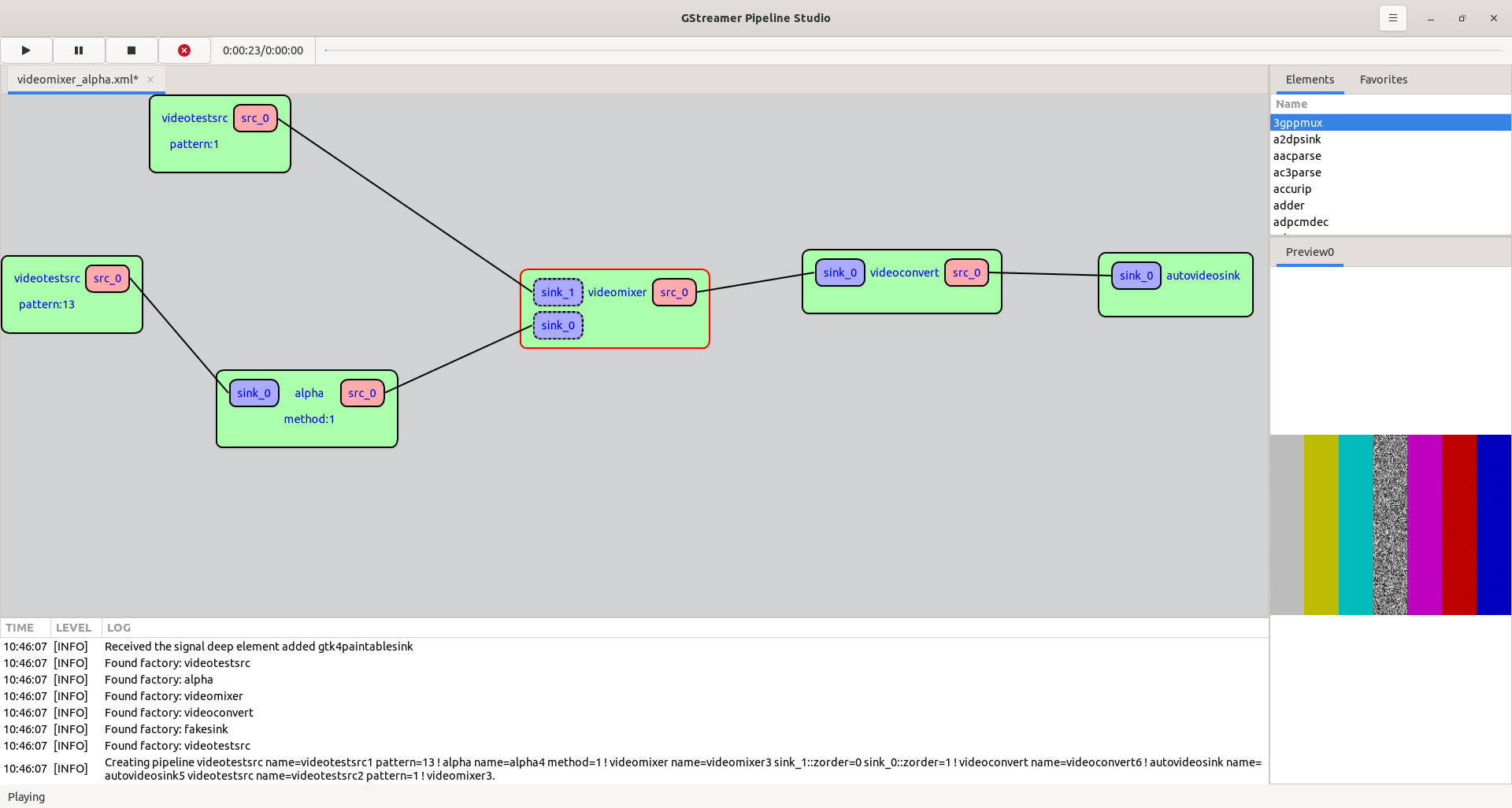
Setup
Install the Rust toolchain via rustup
curl --proto '=https' --tlsv1.2 -sSf https://sh.rustup.rs | sh
Check https://rustup.rs for alternative installation options.
Ubuntu/Debian/etc
apt install python3-pip ninja-build pkg-config
pip3 install --user meson
apt install libgtk-4-dev libadwaita-1-dev libgstreamer1.0-dev libgstreamer-plugins-base1.0-dev
Fedora/RedHat/SuSE/etc
dnf install python3-pip ninja-build pkgconfig
pip3 install meson
dnf install gtk4-devel libadwaita-devel gstreamer1-devel gstreamer1-plugins-base-devel
MacOS
brew install gtk4 libadwaita
brew install gstreamer gst-plugins-base gst-plugins-bad
Windows (MSYS2)
pacman -S mingw-w64-x86_64-gtk4 mingw-w64-x86_64-libadwaita
pacman -S mingw-w64-x86_64-gstreamer mingw-w64-x86_64-gst-plugins-base
Getting started
$ meson setup builddir -Dbuildtype=release
$ ninja -C builddir
$ ./builddir/target/release/gst-pipeline-studio
Flatpak
The application is also available on Flathub.
License
GstPipelineStudio is distributed under the terms of the GPL3 license. See LICENSE for more information.
Credits
GstPipelineStudio wouldn't exist without free and open-source software such as GLib, GStreamer, GTK, libadwaita and many more.
This project has been also possible thanks to amazing projects such as:
Contributing
Contributions are welcome, whether written by hand or with the assistance of AI tools, as long as the human contributor fully understands every line they submit. See AGENTS.md for the full developer guide: project structure, build and test instructions, code style, commit-message format, and the complete contribution and AI-usage policy.
Quick workflow: create an account on gitlab.freedesktop.org, fork this repo, create a feature branch, commit, push, and open a merge request.
Install commit hooks locally so .gitlint, cargo fmt and friends run on each commit:
pip3 install pre-commit
pre-commit install --hook-type commit-msg
Or via meson:
meson setup builddir
ninja -C builddir install-git-hooks
Bugs, suggestions and questions go to the Issue Tracker.
Troubleshooting
Interface is not clean: rm ~/.config/dev.mooday.GstPipelineStudio/settings.toml